Commercial locksmith
Planning Access Control for a Wichita Business
Access control works best when it is planned around people, schedules, doors and failure scenarios—not selected as an isolated keypad or reader. This guide gives Wichita business owners and property managers a practical framework for defining the problem before choosing credentials, locking hardware or software.
Start access-control planning by mapping users, doors, schedules and required access levels. Then inspect each complete opening—including door, frame, latch, closer and exit hardware—before choosing readers and electrified locks. Decide who will administer credentials, what happens during power or network failure and how safe egress will be preserved.
Access control works best when it is planned around people, schedules, doors and failure scenarios—not selected as an isolated keypad or reader. This guide gives Wichita business owners and property managers a practical framework for defining the problem before choosing credentials, locking hardware or software. Continue with the complete library of commercial locksmith guides when you want to compare related decisions.
Key takeaways
- Access control is an operating policy expressed through doors, credentials, hardware and software.
- A reader cannot correct a sagging door, weak frame, failing closer or incompatible latch.
- Credential choice should reflect user turnover, audit needs and who will manage the system.
- Entry control must never compromise free egress or required life-safety functions.
- A phased design with documented expansion paths is often better than buying unused complexity.
Begin with the business problem—not the product catalog
A keypad, card reader or mobile credential is only the visible edge of an access-control system. The real design begins with operational questions. Who needs to enter?
Which doors should each person use? During what hours? Which rooms require additional restriction?
How quickly must access be removed when an employee, contractor or tenant leaves? A system is successful when those policies can be administered reliably without creating daily friction. If this condition matches your situation, review the service scope for access control installation.
Define the reason for the project in plain language. A small office may want to stop distributing mechanical keys. A warehouse may need separate permissions for the office, loading area and inventory cage.
A medical or professional practice may need staff-only zones. A multi-tenant property may need quick turnover of credentials without changing every cylinder. These goals lead to different designs even when each project begins with the phrase 'install access control.'
Set priorities before discussing brands. Rank security, convenience, audit history, remote administration, temporary credentials, integration, resilience and budget. No system maximizes every factor equally.
A simple standalone keypad can be manageable for a stable team at one door, while a multi-site organization may value centralized cloud administration. Choosing the management model first narrows hardware more effectively than comparing reader appearances.
People
Employees, managers, cleaners, vendors, tenants, visitors and emergency or maintenance access.
Places
Exterior doors, suites, stockrooms, offices, server areas, service bays and shared spaces.
Times
Business hours, shifts, temporary windows, holidays, after-hours access and automatic unlock schedules.
Build a door and user inventory
Create a simple schedule with one row for every controlled opening. Record the door material, frame, existing lock, closer, exit device, traffic level and current problems. Note whether the opening is part of a required exit route, fire-rated assembly or accessible path.
Include mechanical keys and overrides already in use. A door that drags, fails to latch or is repeatedly propped open needs mechanical correction before electronic control can be dependable. If this condition matches your situation, review the service scope for storefront door locks.
Next, group users by role rather than name. Owners may need broad access; managers may need several zones; employees may need only their work area; cleaners and vendors may need limited time windows; visitors may require escorted or temporary entry.
Role-based planning is easier to maintain than granting permissions one person at a time without a structure. It also makes onboarding and offboarding more consistent.
Estimate turnover and exceptions. A stable eight-person office has different administrative needs from a facility with seasonal staff, rotating contractors or many tenants. Count how often credentials are issued, lost, returned and revoked.
Include future doors and users that are reasonably expected within several years. Expansion should be planned, but avoid paying for speculative complexity that the organization has no staff or process to manage.
For independent guidance, review National Institute of Standards and Technology's Guide to operational technology security (opens in a new tab).

- Door and frame material
- Existing latch, lock, closer and exit hardware
- Normal and peak traffic volume
- Required entry method and exit behavior
- User roles and permitted schedules
- Credential issue, return and revocation process
- Power, network and wiring routes
- Expected expansion and integration needs
Compare credentials by administration and risk
PIN codes are simple and avoid physical credentials, but shared codes reduce accountability and tend to spread. Individual codes improve control when the device supports enough users and clear administration.
Cards and fobs are easy to issue and revoke, yet they can be loaned or lost. Mobile credentials reduce physical inventory and may support strong management, but they depend on compatible phones, user enrollment and a plan for dead batteries or device changes. If this condition matches your situation, review the service scope for panic bar installation.
Biometric systems can verify a physical characteristic, but they introduce privacy, enrollment, accuracy and policy considerations. They are rarely the default answer for an ordinary small business.
Mechanical keys remain important for overrides, specialty doors and layered access, but they do not provide electronic audit history and cannot be revoked without recovering the key or changing the cylinder. Many properties use a combination rather than forcing one credential onto every opening.
Think about the worst administrative day. An employee leaves without returning a credential. A cleaner needs access for two hours.
A manager loses a phone. The internet is down. A tenant moves out on a holiday weekend.
The best credential is the one the organization can add, suspend, replace and audit under those conditions. Product features have little value without a named administrator and documented procedure.
| Credential | Strength | Tradeoff | Good fit |
|---|---|---|---|
| Individual PIN | No physical token to issue | Codes can be observed or shared | Small stable teams and secondary doors |
| Card or fob | Fast issue and revocation | Can be lost, loaned or duplicated depending on technology | Offices, tenants and managed facilities |
| Mobile credential | Remote lifecycle management | Phone compatibility and enrollment support | Multi-site and frequently changing users |
| Biometric | Credential is tied to the person | Privacy, policy and environmental concerns | Specific higher-control zones |
| Mechanical key | Simple resilient override | No audit trail and slow revocation | Backup, low-change areas and layered systems |
Evaluate the complete door opening
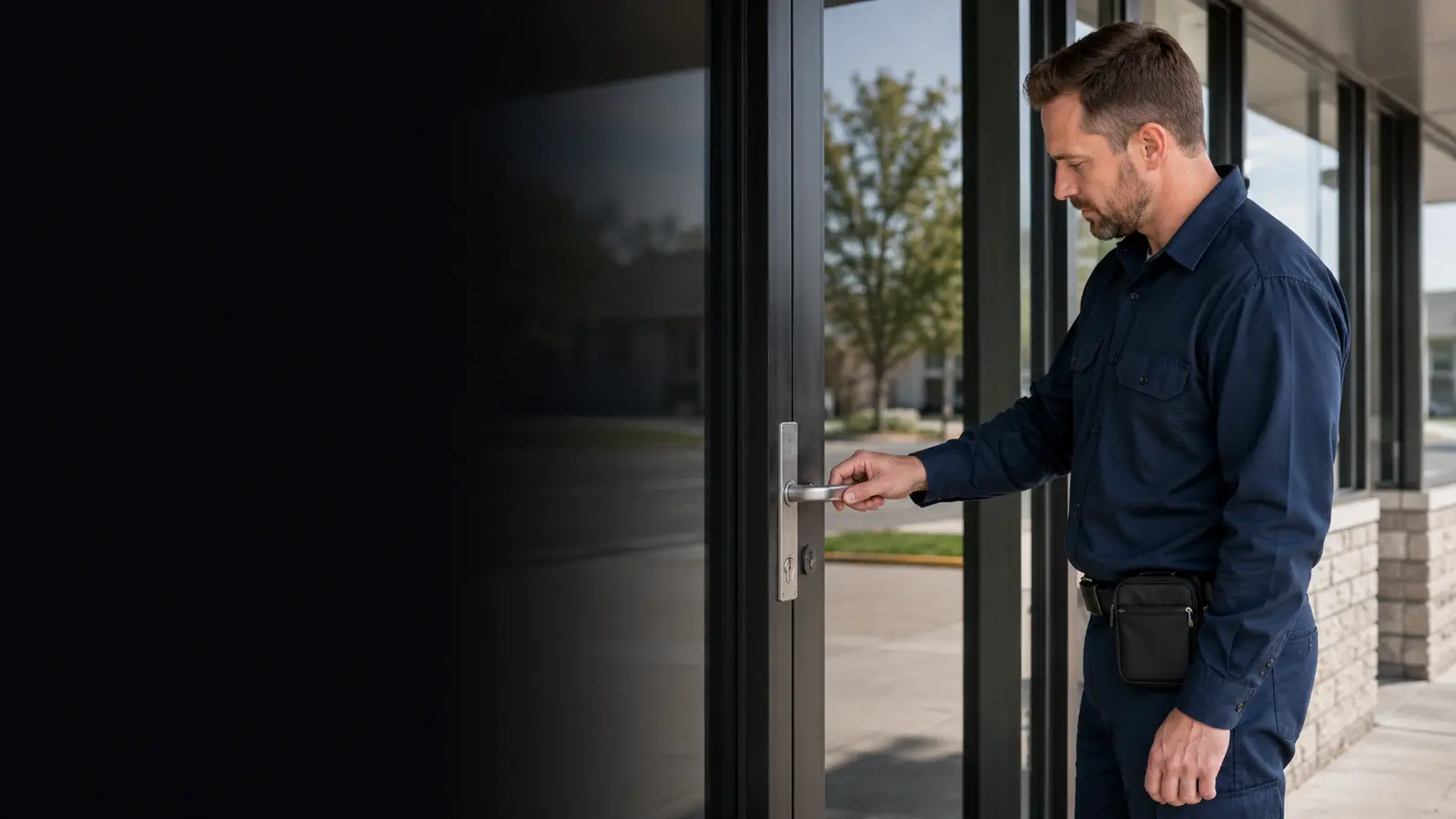
Electronic access control does not replace physical door fundamentals. The door must swing freely, the closer must bring it to the latch position, hinges or pivots must support it, the latch must engage positively and the frame must accept the selected hardware.
If a storefront door drags or a closer slams, adding an electric strike may automate an unreliable condition. Users will respond by pulling harder, holding the door or propping it open, defeating the investment.
Door construction affects hardware. Aluminum narrow-stile storefronts have limited space and specialized locks. Hollow metal doors and frames support different preparations.
Wood doors may require reinforcement and careful routing. Glass conditions, weather exposure, pairs of doors, existing panic hardware and fire labels all influence what can be changed. A site assessment should identify these constraints before equipment is ordered.
Inspect how people actually move. A reader may be technically compatible but poorly located for a person carrying deliveries. A request-to-exit device may not sense the intended path.
A door may be held by wind or pressure differences. A service entrance may need a durable credential reader and protective placement. Observing a normal busy period often reveals design issues that are invisible on a floor plan.
Understand common locking hardware choices
An electric strike is installed in the frame and releases a compatible latch when access is granted. It may preserve existing lock functions, but the strike, latch, frame and door geometry must match.
Electrified cylindrical or mortise locks place the controlled function in the lock itself and can offer specific fail modes and request-to-exit behavior. Electric latch retraction can work with compatible exit devices when coordinated correctly.
Magnetic locks secure a door through electromagnetic holding force. They have no mechanical latch to release, which can simplify some physical conditions but creates distinct egress, power and control requirements.
They should not be treated as a universal shortcut for difficult frames. The complete arrangement may require sensors, emergency release interfaces and code-compliant operation determined by the door and occupancy.
Standalone electronic locks combine credential reading and locking at the door. They can reduce wiring for selected openings, but battery maintenance, audit retrieval, weather exposure and management capacity vary.
Networked systems centralize decisions through controllers or intelligent devices. The correct family depends on the number of doors, required monitoring, wiring environment and who will maintain it—not on which product looks most modern.

| Hardware approach | Basic role | Planning focus | Common caution |
|---|---|---|---|
| Electric strike | Releases compatible latch at frame | Latch geometry, frame prep and door alignment | Not every lock and frame combination is suitable |
| Electrified lock | Controls function inside lock body | Door prep, power transfer and function | Requires correct lock function and wiring path |
| Electrified exit device | Coordinates controlled entry with exit hardware | Device model, trim, power and egress | Specialty compatibility must be verified |
| Magnetic lock | Uses electromagnetic holding force | Release logic, sensors, power and code | Not a simple substitute for latching hardware |
| Standalone smart lock | Combines reader and lock locally | Battery, weather, user capacity and audits | May not scale or integrate later |
Preserve egress, accessibility and life-safety functions
Access control governs entry; occupants still need to leave safely. Exit devices, fire-rated doors, delayed-egress arrangements, magnetic locks and controlled doors can be subject to building, fire, accessibility and electrical requirements.
The exact rules depend on occupancy, door location, hardware and local authority. A commercial locksmith or integrator should coordinate with the appropriate professionals and authority having jurisdiction rather than making blanket code promises from a product brochure.
Never chain, block or modify an exit to compensate for an access-control problem. Entry security cannot justify trapping occupants.
Hardware should support intuitive exit from the occupied side, and door closers should return the opening to a positively latched condition where required. Reader placement, clear floor space, operating force and credential use can also affect accessibility.
Document the intended fail behavior. Fail-safe locking releases when power is removed, while fail-secure locking remains secure from the entry side under a loss of power while still permitting required egress through mechanical means.
The words sound simple, but selection must reflect the exact hardware and life-safety strategy. Power supply, fire alarm interface and emergency release behavior should be tested as a coordinated system.
For independent guidance, review U.S. Department of Justice's 2010 ADA Standards for Accessible Design (opens in a new tab).
Free egress
Authorized entry controls must not prevent occupants from leaving through required means of egress.
Fire and door function
Rated assemblies, exit devices, closers and latching requirements can limit hardware choices.
Failure behavior
Test what happens during loss of power, alarm conditions and controller or network interruption.
Plan power, network and offline operation
Every electronic system needs an intentional power design. Identify where power supplies, controllers, batteries and network equipment will live; how wiring reaches each opening; and who can access service components. Door loops, electric hinges and concealed transfers each have physical constraints.
Exposed wiring at a moving door is vulnerable to fatigue and tampering. Retrofit paths through masonry, finished walls and storefront framing can influence cost more than the reader itself.
Ask what continues working when the internet fails. Many cloud-managed systems make local decisions at the door or controller using cached permissions, while remote administration and live reporting may be unavailable. Behavior varies by architecture.
Likewise, a network outage differs from controller failure or loss of building power. The design should define each event rather than using the vague claim that the system 'works offline.'
Backup power needs a maintenance plan. Batteries age and may fail silently unless tested. Decide how long critical functions should remain available and which equipment is included.
Networked systems also need secure configuration, updates, account controls and segmentation appropriate to the organization. A locksmith handles the opening and door hardware, but larger projects may require coordination with electrical, fire alarm, security and IT professionals.
Design credential administration before installation
Name at least two trained administrators so the organization is not dependent on one person. Define who can create users, change schedules, review events and approve emergency overrides. Use individual administrator accounts rather than shared passwords when the platform supports them.
Apply strong authentication and remove former administrators promptly. The management portal is part of the security perimeter.
Create written lifecycle rules. New credentials should be tied to a person or role, issued with an expiration when access is temporary and removed immediately when authorization ends. Lost credentials should be suspended rather than merely noted.
Shared codes should be minimized and changed on a defined schedule. Mechanical override keys need the same tracking discipline as electronic credentials.
Decide how logs will be used. An audit trail can support investigation and accountability, but it should not be treated as proof that the named person passed through the door; credentials can be shared or tailgated.
Establish retention, privacy and review policies appropriate to the business. Collecting data without anyone responsible for responding to alerts creates false confidence.

- Two trained system administrators
- Individual admin accounts and strong authentication
- Documented onboarding and offboarding steps
- Expiration rules for vendors and temporary users
- Immediate lost-card or lost-phone suspension
- Mechanical override-key inventory
- Log retention and review responsibility
- Periodic permission and door audit
Use a phased implementation for larger properties
A phased project lets a business solve the highest-value doors first and learn how the system performs before expanding. Begin with perimeter entrances or a clearly defined department, establish credential and support procedures, then add secondary zones. The platform, controller capacity, licensing and wiring plan should support the expected next phase without requiring a complete replacement.
A pilot should be representative. Testing one quiet interior door may not reveal weather exposure, peak traffic, delivery handling or after-hours administration.
Select an opening that exercises the real workflow but does not create unacceptable business risk if adjustments are needed. Define success measures such as reduced key issuance, faster offboarding, reliable latching and manageable administration.
After the pilot, interview users and administrators. Were credentials easy to present? Did people prop the door because it closed too slowly?
Were schedules configured correctly? Did alerts produce useful action or noise?
Correct policy and door behavior before scaling. Expansion multiplies both good design and bad habits.
| Phase | Scope | Primary goal | Decision before next phase |
|---|---|---|---|
| Assessment | Users, doors, hardware and policies | Define requirements and constraints | Approve system architecture |
| Pilot | One representative controlled opening | Validate workflow and door behavior | Resolve usability and support issues |
| Perimeter | Main staff and service entrances | Control external access | Confirm schedules and credential lifecycle |
| Interior zones | Stock, office or restricted rooms | Apply role-based permissions | Review over-privileged users |
| Optimization | Reports, integrations and expansion | Improve administration | Audit value versus ongoing cost |
Budget for the full lifecycle—not just hardware
Project cost can include door repair, electrified hardware, readers, controllers, power, wiring, software, licenses, credentials, network work, permits, coordination, training and ongoing support. A low per-door device price can be misleading when the existing opening requires substantial preparation. Conversely, replacing a door is not always necessary when compatible hardware can be integrated into a sound opening.
Recurring costs may include cloud subscriptions, mobile credentials, support plans and periodic battery or component replacement. Ask what functions stop if a subscription ends and whether data can be exported.
Determine who owns the configuration and how another qualified provider could service the system later. Proprietary lock-in can be acceptable when benefits justify it, but it should be an informed decision.
Compare costs against operational outcomes. Faster employee offboarding, fewer emergency rekeys, reduced key inventory and centralized management have real value.
Avoid invented savings claims; use the organization's actual turnover, locksmith history and administrative time. A system that is easy to manage and consistently used can outperform a more advanced platform that staff bypass.
Questions to ask during an access-control assessment
Ask the provider to explain why each locking method fits the existing opening and how egress is preserved. Request a door-by-door scope showing what remains, what changes and which other trades are involved.
Clarify wiring paths, finish expectations and responsibility for patching. For networked systems, identify controller location, software model, administrative ownership and cybersecurity responsibilities.
Ask to see failure behavior described in writing: building power loss, network outage, credential loss, reader failure and alarm conditions. Determine how authorized staff regain entry and how occupants exit.
Confirm whether mechanical overrides remain, who receives those keys and how they are tracked. Review any code or permit assumptions with the appropriate local authority rather than relying on generic national marketing language.
Finally, request commissioning and training. Doors should close and latch repeatedly, credentials should follow the approved access matrix and retained mechanical keys should work as intended.
Administrators should demonstrate adding, suspending and expiring a user, reviewing events and responding to a lost credential. The project is not complete when the reader lights up; it is complete when the business can operate the system responsibly.
- Why is this lock and reader compatible with this door?
- How is safe exit maintained during normal and failure conditions?
- What happens during internet, power and controller outages?
- Who owns the system configuration and administrative accounts?
- Which subscriptions, credentials or support costs recur?
- How will mechanical override keys be controlled?
- What testing and administrator training are included?
- How can the system expand without replacing the first phase?
Frequently asked questions
Questions readers ask
What is a commercial access-control system?
It is a combination of policy, credentials, readers, controllers, locking hardware and administration used to decide who may enter particular doors and when.
Can access control be added to existing doors?
Often, if the door, frame, latch and exit hardware are compatible and in serviceable condition. A site assessment is needed before selecting electrified hardware.
Are card or fob systems better than keypads?
They are easier to revoke individually and usually provide stronger user accountability. A keypad may be sufficient for a stable small team. Turnover, audit needs and administration should drive the choice.
What happens if the internet goes down?
Many systems continue making local access decisions with stored permissions, while remote management and live reporting may stop. Behavior varies by architecture and should be tested.
What happens when building power fails?
The result depends on locking hardware, power supplies, backup batteries and life-safety design. Required egress must remain available. Document and test the intended failure behavior.
Can access control work with a panic bar?
Yes, with compatible electrified exit-device hardware or trim and correct coordination of entry control, latching and egress. The existing device model and door conditions must be verified.
Should a business keep mechanical override keys?
Many systems retain a mechanical path for selected failures or service. Those keys should be limited, documented and protected because they can bypass electronic credential controls.
Does access control provide proof that an employee entered?
It records credential events, but a credential can be shared and more than one person can pass through a door. Logs are useful evidence, not perfect proof of identity or occupancy.
Who should administer the system?
At least two trained, authorized people should manage users, schedules, alerts and emergency procedures using individual administrator accounts when supported.
Can I request access-control service outside Wichita?
Heartland coordinates supported commercial door and access-control requests in Wichita and surrounding areas, subject to property location, system scope and independent-contractor availability.
The right solution depends on the specific lock, door, vehicle or garage door system. Check the Wichita-area service pages, then call or send the details for an evaluation.